
We have a Recruiting Assistant in our office who is responsible for helping source and phone screen candidates. If the person is qualified, they are then passed along to a Recruiter who will interview, submit them to jobs, and serve as their point of contact moving forward.
We are trying to look closely at the candidates we place to see if they are identified by the Recruiting Assistant, or if the Recruiter made initial contact. We can look at notes, but we are trying to find a way to run a report so we can easily identify of the people working, how many were first screened/sourced by the Recruiter Assistant.
This person doesn't make commission, although we could enter a commission allocation for them, and leave the amount as zero. On Clients, you can have 2 reps, but on the candidates/talent records, you can only have 1.
Does anyone have a good way of tracking this information?
Comments
Please sign in to leave a comment.
The commission allocation isn't a bad idea.
You could also create a tag and have the recruiting assistant tag them upon initial contact.
We currently have our sourcers (essentially a recruiting assistant) log an activity that lets us know that the candidate was initially screened by a sourcer. We can then run a talent search of all candidates for that sourcer who have that activity so they may get credit for them on their metrics.
Thanks Tamara! I like the Tag idea too!
We ended up creating a tag for the Recruiting Assistant, and this seems to be working well.
We can track candidates who have current placements with this tag.
However, when we tried looking at candidates with the Placement Status Previous Contractor and this specific tag, we are coming up with candidates who worked for us years ago who still have the Placement Status Previous Contractor, but were just phone screened by the Recruiting Assistant.
I am struggling to find a report that would allow me to put assignment start date parameters on that search.
Are there any ideas on how this search can be done so we can give credit to the Recruiting Assistant who helps identify candidates who are placed on assignment?
Hi Ashley! What I use to pull start ranges in the Talent Search is the Job Activity talent term (see screenshot) Now, the only issue is that it pulls from the date the recruiter assigned the person, and not necessarily the start date---but unless you're starting folks well into the future, it will at least prevent candidates from pulling up from years ago.
You could also run a Starts Report for a specific range, making sure you have the Applicant Tag column selected. Then, you can search all starts with that tag?
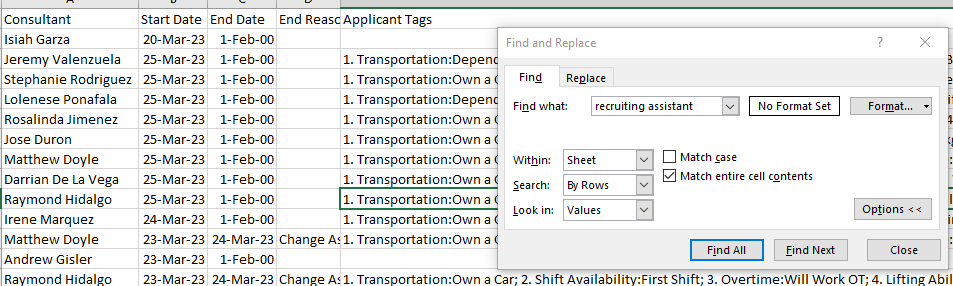
Just a couple of ideas I'd try if it were me!
Now, a potential issue with the using tag is that, since tag expiration dates are fruitless (I have had a ticket in on tag expiration dates for a long time, but it hasn't been received with priority), you may get a candidate a year or two down the road that comes back into play and, while they still have this tag, may have not been screened again by the recruiting assistant, causing them to receive credit where they shouldn't.
Using an activity to log phone screen, whether in conjunction or as an alternative, would prevent this from happening and be just as searchable in the Talent Search. It's just not searchable in Analyze reporting...
Thank you for taking the time to respond Tamara!
When we looked that the Talent Search for Job Activity, I overlooked the field for Started! Thank you for bringing that to my attention!
I agree that when using the tag, there is an issue with the expiration date, so thank you for also bringing that to my attention. We didn't think of that! We are also using the activity to record the action and the conversation. Thank you for the pointers and the tricks! We went live on Avionte less than a year ago, and we are still trying to figure out all the tricks and best uses for us!
Hello,
I am new to this site and I am searching on how to put the interview notes into Avionte and Notes as well. I have just started to use this site and still learning.
Thank you,
Lisa