
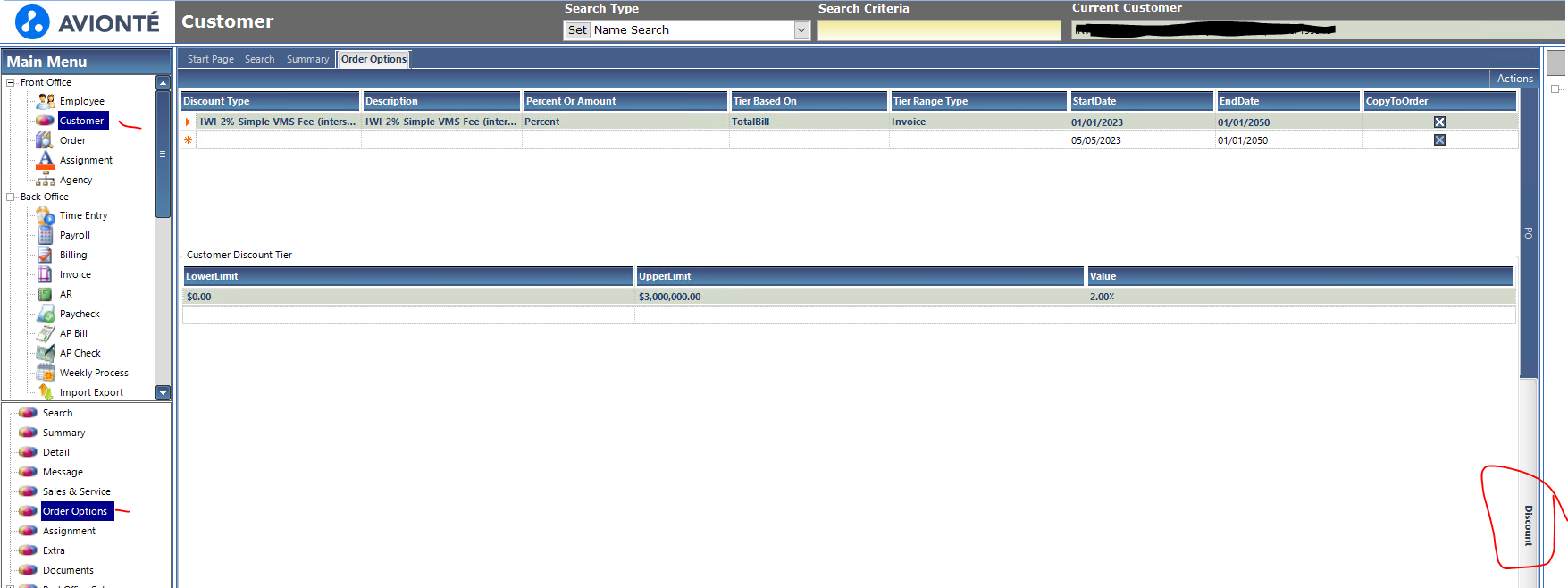
I would be interested to know where you are placing the VMS charges in BOLD or back office to refelct the discount off the invoices? Before moving to BOLD we had it set up in Customer/Order Options/Discount.
This stopped working when we made the switch.
5
Comments
Please sign in to leave a comment.
Cindy Burger by chance, did you hear from them? It stopped working for us too and causing us to have to manually input on all orders created.
Hi Rebecca, I have asked Avionte to add the discounts section to the job order templates as a product enhancement and this is the response i recieved below. Needless to say our accounting department is not happy (our invoices are a hot mess) . The recruiters dont necessarily know what the client fees are nor do we want them to know, We want them to concentrate on filling orders. By manually inputting on all orders this leaves so much room for human error. ( can you send to me a screen shot of where you are addig the fees when creating an order and is yours truely flowing to the back office for invoice discounts)
We’ve reviewed your request. Your feedback and requests are extremely important to us. However, the requested project does not align with our near-term product roadmap or development priorities. We know this is not what you wanted to hear, and it’s not a decision we make lightly. However, we believe this request is valuable and may be considered for future development, although we cannot promise any timelines
Following this item. I don't even see a way to manually put this in--we end up having to write off the VMS fees on each invoice individually...
I could not find a way to manually put the fees in either, we have to write the discount fee off individually as well ..such a pain for our accounting team.
We've taken to manually adding line items for each VMS fee in Classic for every single Customer/Department individually each week... It's very time consuming, but we haven't found a simpler way to ensure it's being managed.
This is an issue for us too. We had to create a VMS calculator to manually determine the bill rate that we need to enter in Avionte so it matches the VMS invoice. A lot of unnecessary work indeed.
Cindy Burger thanks for the reply. We have over 650 clients that have a discount setup to Copy Orders just as you have in your screenshot. When our sales team create the Bold Job that creates the Backoffice 'order' does not inherit the discount like it used to before we went live with Bold.
We now have a daily chore that is ran to locate orders with missing discount. This is the only way that we have been able to continue with ensuring the discount applies to the invoice as it did pre-Bold.
We generate the report 'Comprehensive Order AQ' and we have a lookup table that matches the accounts that should have a discount (because not all of our customers have discounts) and then filter on column 'Discount' and anything with blanks is what needs to be addressed. We then open the order in backoffice and populate the discount. Navigate to the order, click on Edit Order, then click on More Info tab (far right), click on discount picklist and populate discount.


@... Jaqueline Joya Tamara Navarro I am submitting an enhancement request and maybe if you do the same they will prioritize it. It seems silly that it doesn't work the same with Bold and the amount of work it takes to true it up.